
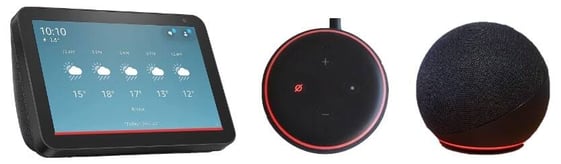
Other potential causes:
- Incorrect wake word: Double-check that you're using the correct wake word like "Alexa" or "Echo".
- Volume too low: Make sure the volume on your device is turned up enough to hear a response. To adjust the volume say, "Alexa/Echo, volume [#]" and she will set the volume to the number you indicate (1-10) or press the plus (+) button to increase the volume.
- Distance from device: Stand closer to your Alexa device to ensure it can pick up your voice clearly.
What to try:
Need help? Our friendly Support Team is here to assist you.
💬 Chat
Click the Chat icon in the bottom-right corner of your screen to start a conversation with a support representative.
📱 Phone & SMS*
Call or text us at (855) 876-9673.
Send us an email at support@k4connect.com, and we'll get back to you as soon as possible.
If you're unsure which contact method to use, chat is usually the fastest way to get assistance.
*K4Connect provides customer-initiated text message support. By texting K4Connect Support, you consent to receive text messages from K4Connect related to your support request, including responses and follow-up messages. Opting in is not a condition for purchase or service.
K4Connect does not send unsolicited or promotional text messages. Message frequency varies based on your support needs. Message and data rates may apply. Reply STOP at any time to opt out of support text messages.
Comments
0 comments
Please sign in to leave a comment.