
The Wellness feature only appears in K4Community Plus for communities that have subscribed to the service.
To connect your Apple Health device(s) to K4Community Plus:
- Open the K4Community Plus mobile app on your Apple device (this cannot be done on the web version)
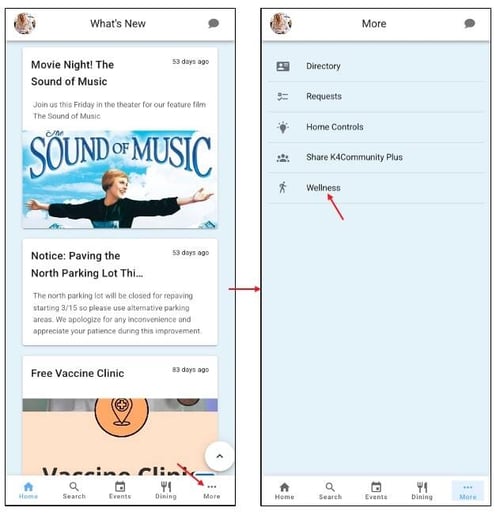
- Go to Wellness
To get to the Wellness section on mobile, tap More > Wellness
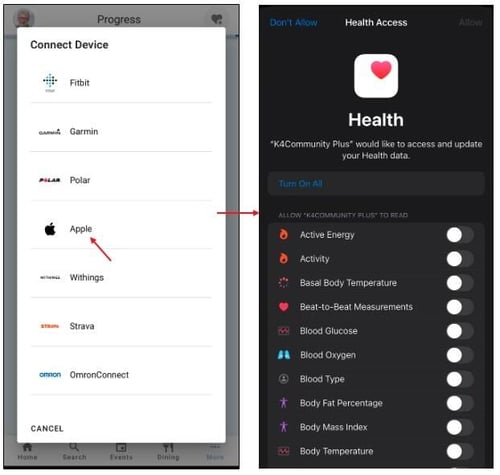
- Click on the Heart icon and select Apple Health
- Select the data you would like to connect to K4Community Plus and tap Allow
- Apple Health can be easily disconnected if you change your mind
Comments
0 comments
Please sign in to leave a comment.