
Creating Restaurants
Overview: This section outlines how to create a restaurant in Team Hub.
Instructions:
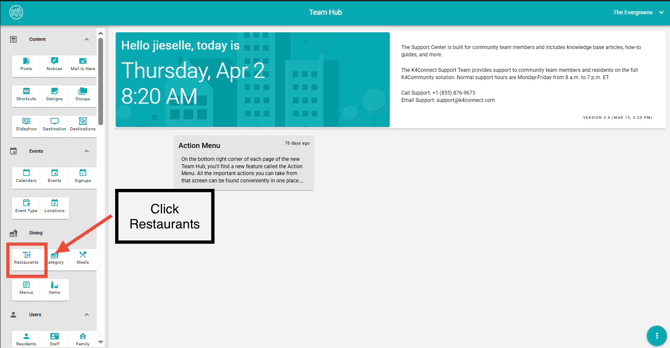
- Navigate to the Dining section in Team Hub.
- Click Restaurants.
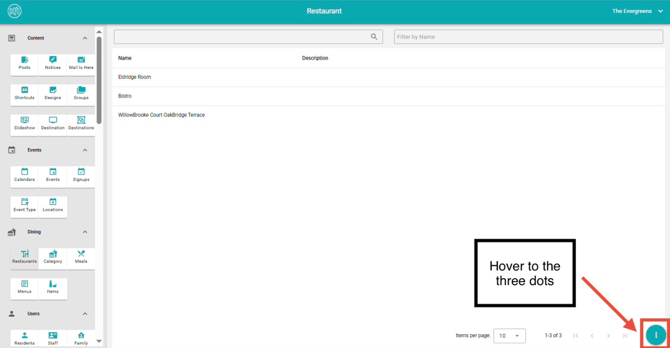
- Hover over the three dots in the lower-left corner.
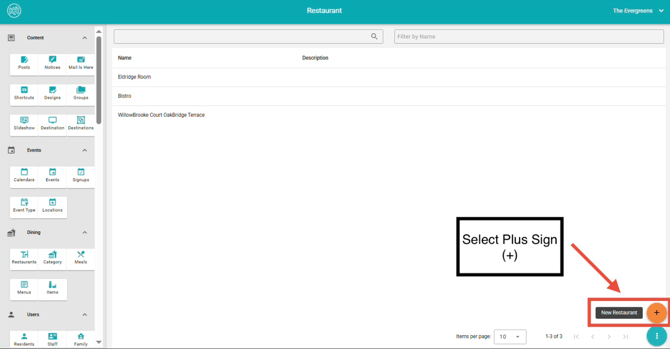
- Select Plus Sign (+) to create a new restaurant.
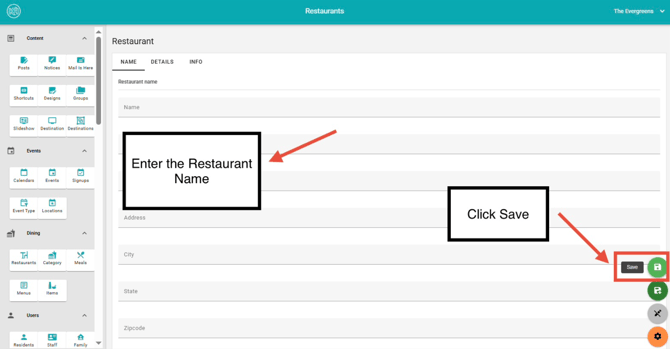
- Enter the restaurant name, details, and info.
- Click Save to apply your changes
For more information on adding menus to existing restaurants, click here.
Editing Restaurants
Overview:
This section outlines how to edit an existing restaurant in Team Hub.
Instructions:
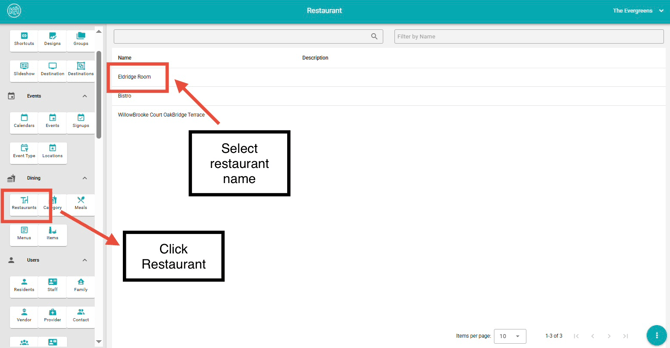
- Navigate to the Dining section.
- Click Restaurants.
- Select the restaurant you wish to update by clicking into the name field.
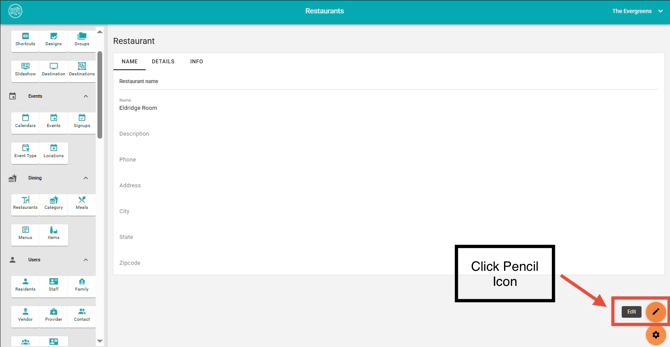
4. Click the Pencil Icon on the lower left
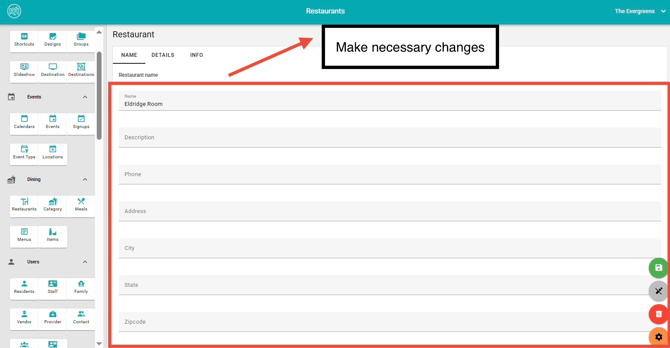
5. Make the necessary changes.
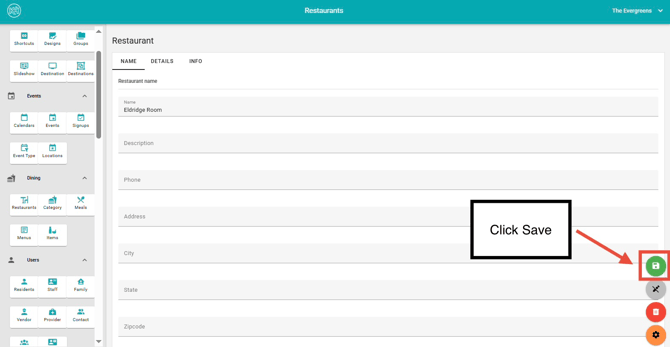
6. Click Save to apply your updates.
Deleting Restaurants
Overview: This section outlines how to remove an existing restaurant in Team Hub. Deleting a restaurant will remove the restaurant entirely from the K4CommunityPlus View.
Instructions:
- Navigate to the Dining section.
- Click Restaurants.
- Locate the restaurant name you wish to delete.
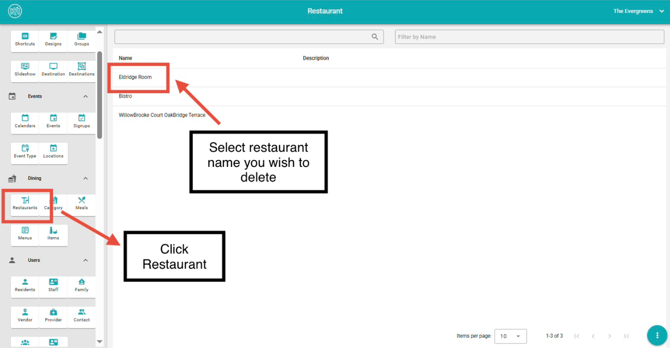
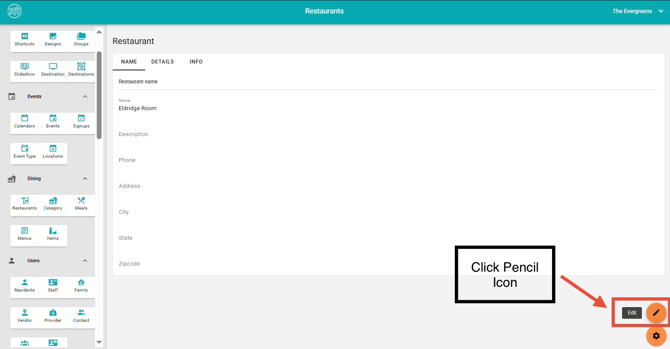
4. Click the Pencil Icon.
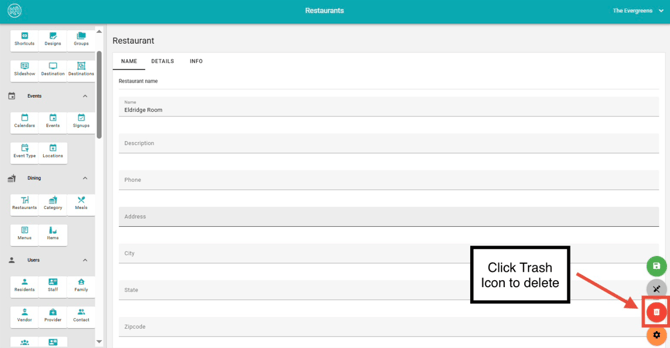
5. Click the Trash Icon to delete.
6. Select Ok to complete the action.
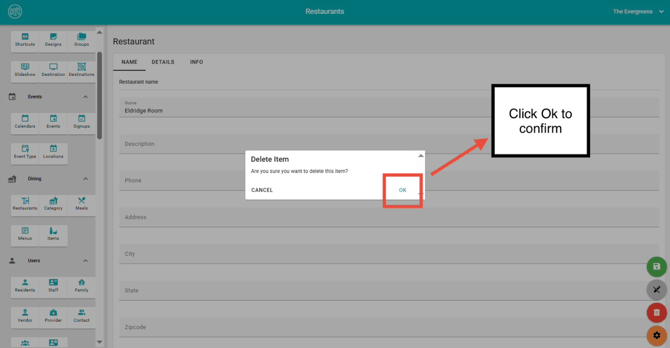
* Note: Deleting a restaurant is permanent and cannot be undone. Ensure the correct restaurant is selected before confirming.
To learn how to delete menus, click here.
For more dining information, please view our How-To video below.
Team Hub 5.0: Dining Section Overview
This how-to video provides a full overview of the Dining section in TeamHub and explains how each of the five dining cards works together. You’ll learn the purpose of Restaurants, Categories, Meals, Menus, and Items, and how each component supports menu creation, scheduling, and resident-facing dining experiences.
To view Team Hub 5.0 FAQ, follow this link: https://support.k4connect.com/teamhub5.0-frequently-asked-questions