
Creating Menus
Overview: This section outlines how to create a menu for an existing restaurant in Team Hub.
Instructions:
- Navigate to the Dining section.
- Click Menu.
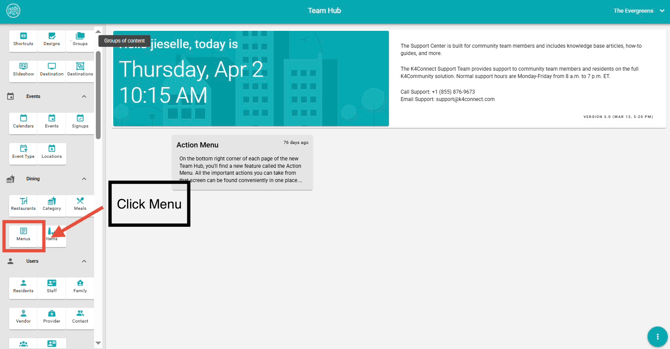
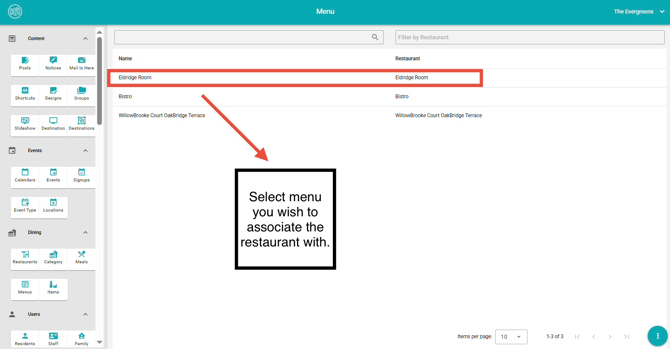
3. Select the restaurant you would like to associate with the menu.
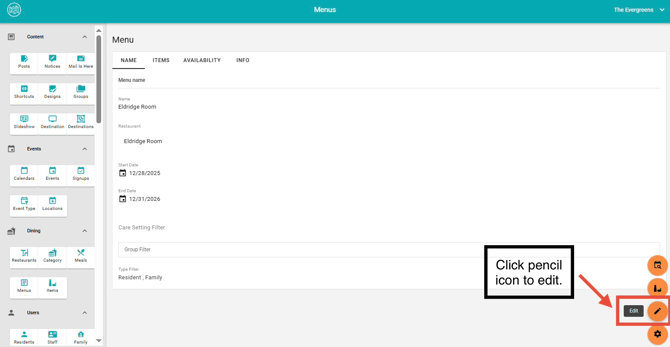
4. Click the Pencil Icon
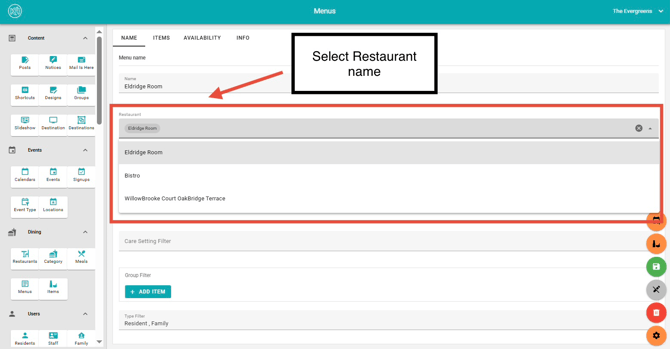
5. Select a Restaurant name.
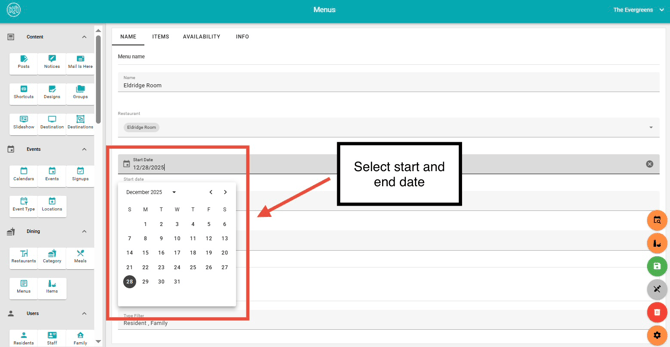
6. Select the start and end date.
-
- This determines when the menu becomes available to selected audiences.
- Available start dates begin on the Sunday of the selected week.
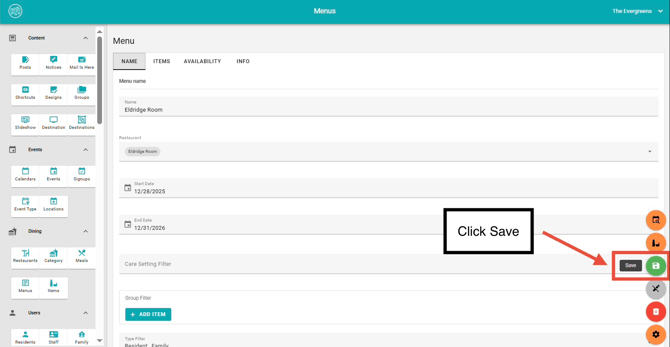
7. Click Save to publish the menu.
For more on how to Add an Item to a Menu, click here.
Editing Menus
Overview: This section outlines how to update an existing menu in Team Hub.
Instructions:
- Navigate to the Dining section.
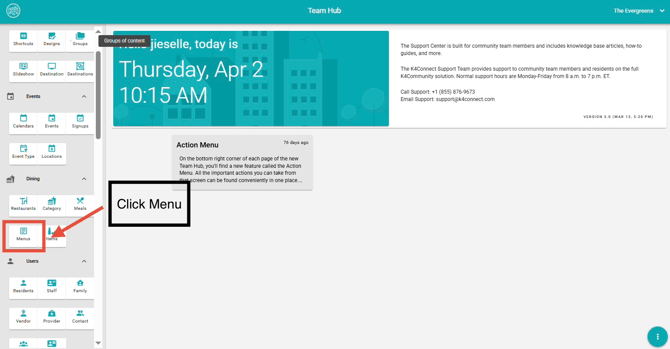
- Click Menu
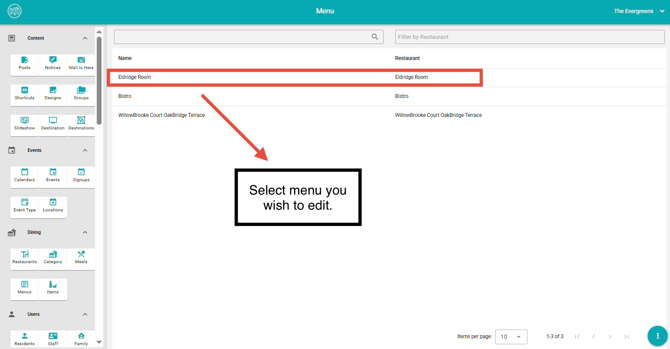
3. Select the menu you wish to edit.
4. Click the Pencil Icon on the lower left.
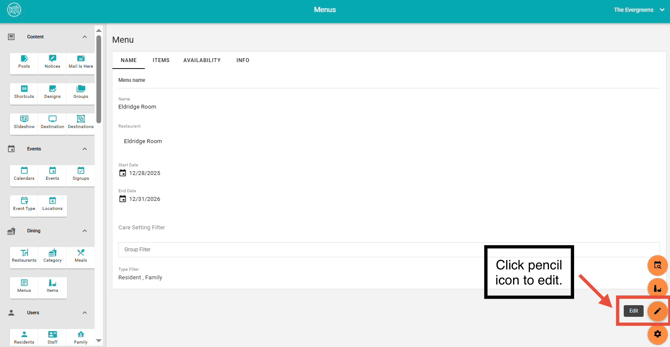
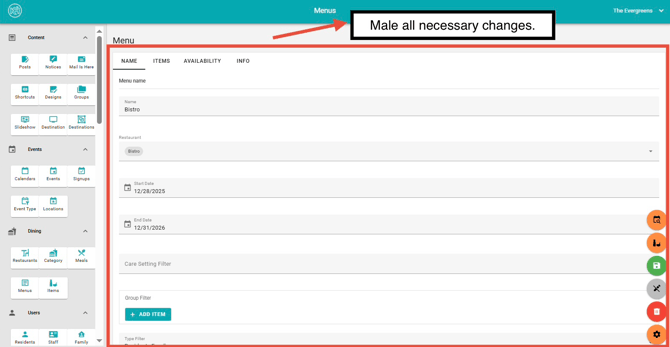
5. Make the necessary updates.
-
- All available fields can be modified.
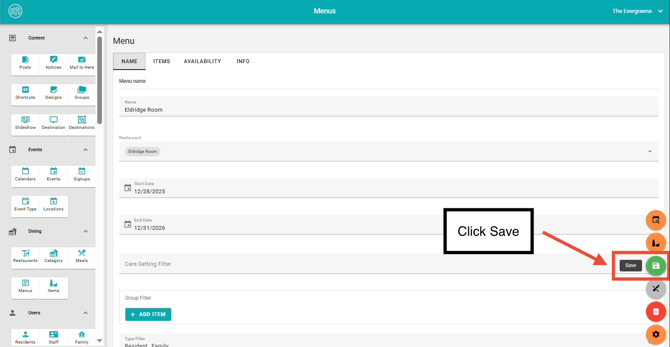
6. Click Save to apply your changes.
Deleting Menus
Overview: This section outlines how to remove an existing menu in Team Hub. For a seasonal menu or a menu you may use again, simply change availability dates rather than deleting the entire menu.
Instructions:
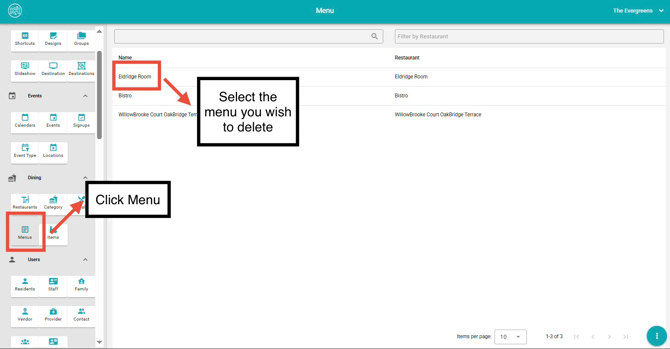
- Navigate to the Dining section.
- Click Menu.
- Select the menu you wish to delete.
4. Click on the Pencil Icon.
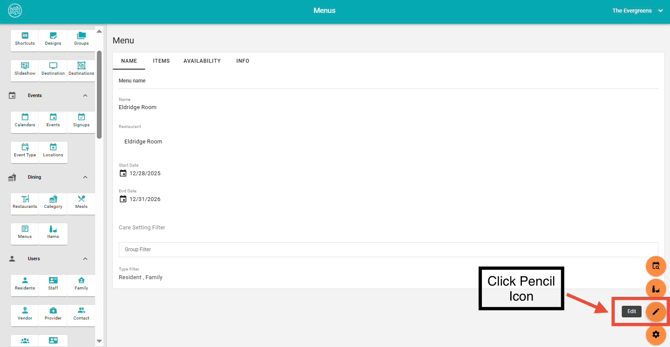
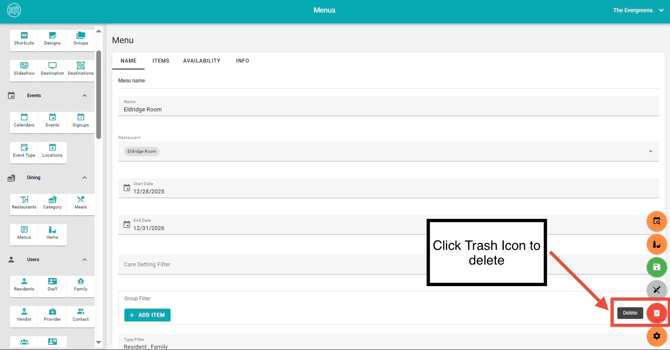
5. Click the Trash Icon to delete.
* Important:
- Deleting a menu will permanently remove it from all endpoints, making it unavailable to residents, as well as friends and family users.
- This action cannot be undone, so please ensure the correct menu is selected before confirming.
For more dining information, please view our How-To video below.
Team Hub 5.0: Dining Section Overview
This how-to video provides a full overview of the Dining section in TeamHub and explains how each of the five dining cards works together. You’ll learn the purpose of Restaurants, Categories, Meals, Menus, and Items, and how each component supports menu creation, scheduling, and resident-facing dining experiences.
To view Team Hub 5.0 FAQ, follow this link: https://support.k4connect.com/teamhub5.0-frequently-asked-questions