
Theming Process
The process for having a custom theme created for the K4Community app is as follows:
- The community team (typically marketing or communications) provides a light and dark color palette to K4. See details below what colors are required.
- Both light and dark compatible logos are also submitted. See specifications below.
- A test site will be provided by K4 for reviewing the colors submitted (usually within 48-72 hours).
- Once reviewed, adjustments can be submitted and the test site updated.
- The community staff approves the theme, and K4 reviews it for quality issues (no UI items being hidden, unreadable, etc).
- The theme is made available in the community’s app as either the default theme or a user selected theme.
K4Connect Default Color Theme
For your reference, the K4Community app theme is made up of a palette of seven colors, with both light and dark variations.
Name | Role | Default – Dark | Default – Light |
Primary | Clickable elements such as buttons that are the primary call to action on a page. | #ffd54b
| #1976d2
|
Secondary | Muted font color used for side menus like filters on the events page. Not intended to be as noticeable as the main text. | #ffffff
| #444444
|
Accent | Used for small informational features such as user avatars or bubbles with the number of messages waiting. | #66b3ff
| #82b1ff
|
Background | Base background color of the app. | #283e4d
| #eaf4fa
|
Navigation | Bars and side navigation items. | #0b2130
| #ffffff
|
Banner | Dividers between page sections. | #216491
| #97c7e7
|
Panel | Inner items on top of the background. | #216491
| #fefefe
|


The base font is white or percentages of white for dark mode, and percentages of black for light mode. This is not currently adjustable.
Logos
Logos should be about a 3×1 ratio. We support PNG (300px x 100px), but encourage you to use SVG if possible to avoid scaling issues on different size displays (phone, tablet). Logos should be provided on a transparent background.
Sample Screens
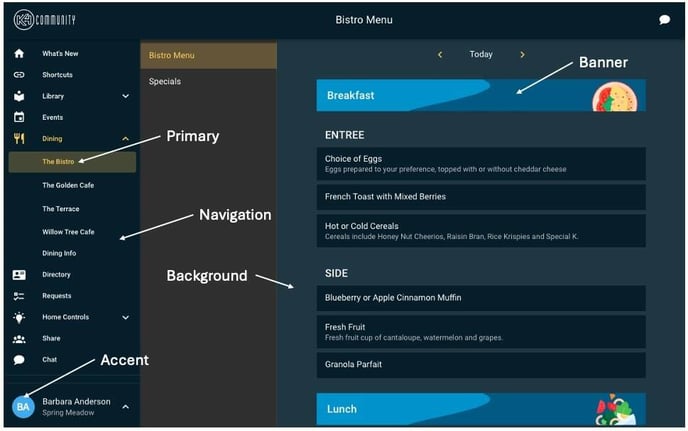
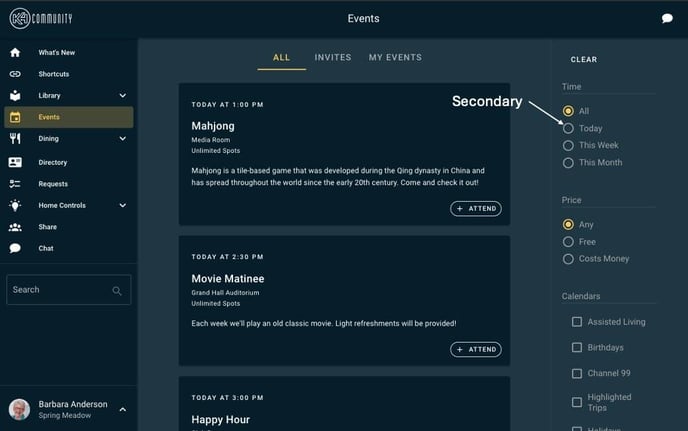
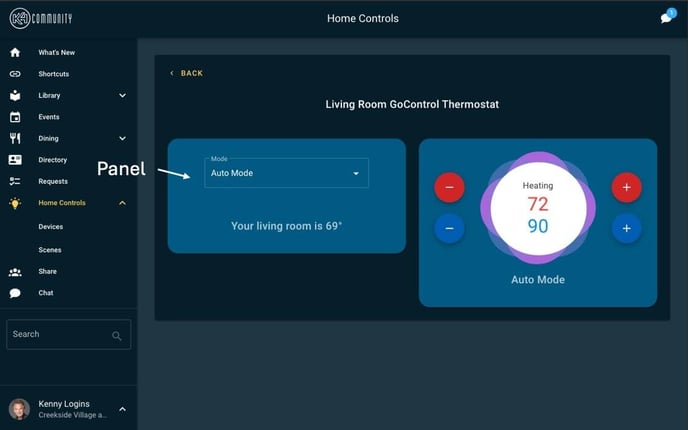
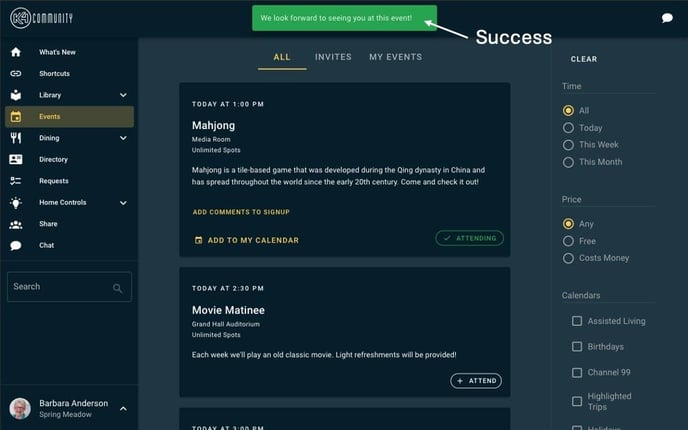
Comments
0 comments
Please sign in to leave a comment.